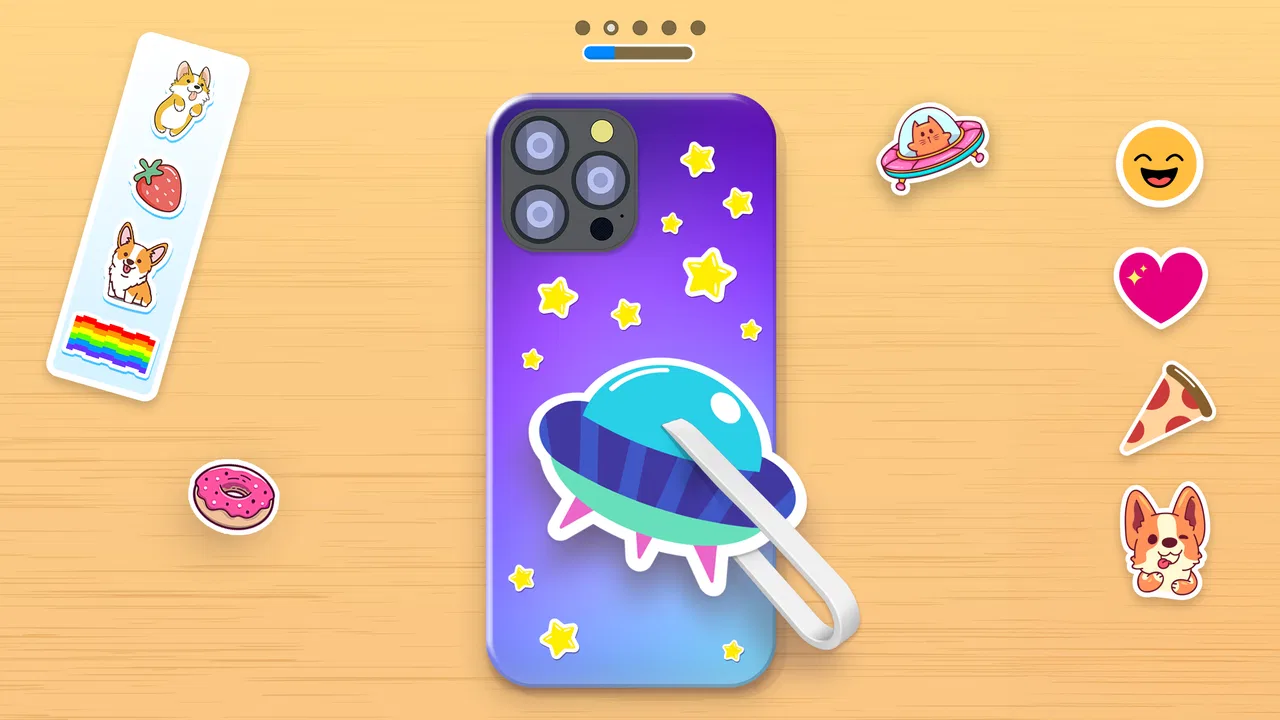
Phone Case DIY
- 4.3
- Rating
- 100.00M
- Installs
- Free
- Price

 Analysis by App-foxy
I approached Phone Case DIY as a small creative project rather than a conventional game, and that is the right way to judge it. This simulation title from CrazyLabs LTD lets me decorate virtual phone cases, headphones, and earbuds, then turn simple designs into something that feels personal. It is free to start, aimed at Everyone, and available for Android devices running version 7.0 or later. After spending time with it, I found that its appeal comes from quick visual decisions: choosing a base, adding color, and seeing whether the finished object looks stylish, playful, or completely overdone.
The game has clearly reached a large audience, with over 100 million installs and a 4.3 average from around 904 thousand ratings. Those figures suggest that the basic idea is easy to understand, but popularity alone does not make it suitable for every player. I would recommend it most readily to someone who enjoys short, low-pressure creative sessions. If you want a deep design tool, a story-driven simulation, or a game with meaningful long-term progression, you should set your expectations differently before downloading.
How to decide whether the creative loop suits you
The first question is not whether you like phone cases. It is whether you enjoy making small visual choices repeatedly. The central loop is built around decorating everyday accessories, so the satisfaction comes from the process rather than from exploration, competition, or a complicated objective. I found myself judging color combinations, deciding when a design already looked finished, and occasionally trying something deliberately loud just to see how it turned out.
You May Also Like

 Pandora - Music & Podcasts
Pandora’s Music Is Easy to Start, but Harder to Recover
Pandora’s strength is its low-effort path from a seed to a station. Its weak spot is how much confidence it asks you to place in connection, setup, and quiet recovery.

 8 Ball Pool
 Is Built on Rivalries, Rematches, and Routine
A close look at the rivalries, rematches, shared routines, and unanswered safety questions that turn a quick pool match into a persistent mobile community.

 Samsung Music
’s Quiet Strength Is Playing What You Already Own
Its reach comes less from spectacle than from dependable access to a personal library. That simplicity is both the app’s strongest retention engine and its ceiling.

 AccuWeather: Weather Radar
AccuWeather Review: A Quick, Clear Forecast for Everyday Decisions
For everyday plans, the best forecast is the one you can understand quickly. AccuWeather makes rain timing, radar, and local conditions easy to act on, with a few trade-offs.

 Hill Climb Racing
Why Hill Climb Racing Still Turns Crashes Into One More Run
A tiny car, a bumpy hill and one more upgrade: Hill Climb Racing keeps resurfacing because its simple chaos makes every near-miss feel personal.

 AliExpress - Shopping App
AliExpress Makes Global Shopping Feel Personal, but Shoppers Bear the Risk
AliExpress turns a global marketplace into a pocket-sized discovery engine. Its reach is useful, its shopping loop compelling, and its trade-offs easy to miss.
More From Our News Desk
View All News


That makes the game a natural fit for short breaks. I can imagine opening it while waiting for a friend, taking a few minutes to create a case, and closing it without feeling that I have abandoned a larger mission. It also works for younger players who want an accessible creative activity, although an adult should still remember that free mobile games can include optional purchases. The age classification is Everyone, while individual households may still want to review spending settings before handing over a device.
It is helpful to separate three kinds of mobile creativity. A drawing app gives you control over a blank canvas, a serious design tool gives you precision and layers, and a crafting simulation gives you a sequence of focused choices. This game belongs to the third group. Its advantage is that it removes much of the intimidating empty-page feeling. Instead of wondering what to make from nothing, I am given an object and can concentrate on improving its appearance.
The key decision criterion is patience for repetition. If you enjoy refining similar objects with different visual ideas, the format is comfortable. If you need every session to introduce a new mechanic, the limited scope may become noticeable. The game is not trying to replace a professional editor, and treating it like one would make its simplicity feel like a flaw rather than a deliberate design choice.
What I look for while creating a design
I pay attention to three things when deciding whether a session feels worthwhile: how quickly I can begin, how clearly each choice changes the result, and whether the finished item feels distinct from the previous one. The strongest moments come when a small adjustment changes the whole mood. A restrained arrangement can feel neat and modern, while a busier combination can look festive or intentionally chaotic.
My practical advice is to choose a visual direction before adding everything that catches your eye. For example, I might start with one main color, one contrasting accent, and a single decorative idea. That approach makes it easier to notice which addition improves the case and which one merely makes it crowded. It also turns the game into a useful exercise in restraint, something the cheerful presentation does not immediately advertise.
Another useful habit is to pause before accepting a design. I often look at the object as a whole instead of judging the last item I placed. This matters because a decoration can look attractive by itself but compete with the rest of the case. The same thinking applies to the headphones and earbuds: smaller surfaces reward simpler arrangements, while a design that works on a broad case may feel too busy on compact accessories.
Where Phone Case DIY is most enjoyable
The game wins when I want a clear, visual activity with almost no learning barrier. Its subject is familiar, and the result is easy to understand immediately. I do not need to study a fictional world or memorize a control system. I simply make an object look different and decide whether I like the outcome. That direct feedback gives the game a pleasant rhythm for casual play.
It is also a good choice for players who like showing taste through small details. Someone who spends time matching a phone case to a bag, outfit, or room may enjoy the same instinct in digital form. The game lets that person experiment without buying physical accessories or committing to a design in real life. I especially like this as a low-risk way to test combinations that might otherwise seem too bright or unusual.
Parents and children may find the theme approachable because it uses familiar objects rather than abstract puzzles. A child can make a colorful case, while an older player may try to create something more coordinated. The same session can therefore support different levels of visual judgment. Still, I would describe it as a casual creative toy, not as an educational design course. It encourages choices, but it does not teach formal principles in a structured way.
The developer, CrazyLabs LTD, has positioned the experience for a broad mobile audience, and the large install base reflects that wide reach. I found the presentation easy to pick up even when I was not in the mood for a demanding game. That accessibility is a genuine strength, especially compared with simulation games that bury a simple idea beneath menus, resources, or long tutorials.
Small techniques that make the sessions better
One technique I found useful is to create a theme from the object itself. With a phone case, I can think in terms of a bold central idea because there is more room to balance details. With earbuds, I focus on a simpler visual identity and avoid treating the smaller surface like a miniature poster. This change in approach keeps the accessories from feeling like identical tasks with different shapes.
I also recommend making one deliberately restrained design after an extravagant one. The contrast makes it easier to understand what the game is doing well. It is not only about adding more decoration; it is about seeing how the same creative tools can produce different moods. For players who usually tap every available option, this is a simple way to turn the game into a personal challenge.
A third approach is to use the game as a mood reset. I would open it after a frustrating work task, choose a limited palette, and aim for a clean result rather than chasing perfection. Because the activity is visual and contained, it gives me something concrete to focus on for a few minutes. That does not make it a wellness app, but it explains why the format can be more satisfying than a passive scroll through social media.
Where other categories may fit better
The main limitation is also the source of its accessibility: the design space is intentionally narrower than a full drawing or modeling application. If you want exact placement, detailed illustration, typography control, or a finished image you can use outside the game, a dedicated creative tool is the better choice. I would not download this expecting professional output. Its reward is the act of decorating, not ownership of a production-ready design file.
Players who prefer management simulation may also find the experience light. In a deeper simulation, decisions often affect budgets, schedules, customers, or an expanding business. Here, the focus stays on the object in front of me. That makes each session quicker, but it also means there is less strategic consequence. If your favorite part of simulation games is building a system over many hours, another category will probably hold your attention longer.
It may not suit someone who dislikes optional monetization in free games. The listed in-app purchases range from $0.99 to $12.99 per item. I can start without paying, which is important, but the presence of purchases still changes the experience for families and for anyone who prefers a completely uninterrupted free game. I would make the download decision with that trade-off in mind rather than assuming “free” means every part of the experience is equally unrestricted.
There is also a difference between creative freedom and creative variety. A game can let me make many visual decisions without offering the depth of a blank canvas. That distinction became clearer after several sessions. At first, the object-based format feels fresh because every result is visible and concrete. Later, a player who wants increasingly precise control may begin to notice the boundaries of the activity.
For a realistic everyday scenario, imagine a commuter with ten minutes before a train arrives. This game is a sensible choice if that person wants something calm, visual, and easy to stop. It is a poor choice if they need to keep track of a complex mission or if they become annoyed by interruptions and purchase prompts. Likewise, it can work well during a family waiting period, but a child who wants a competitive challenge may quickly ask for something with levels, opponents, or stronger goals.
Thinking about the cost of switching
Because the game is free to download, the immediate cost of trying it is low. The more important cost is attention. I would give it a short trial and judge whether the decorating loop remains enjoyable after the initial novelty. If it becomes repetitive, switching to a drawing app, a coloring game, or a deeper simulation is easy because the skills involved are simple visual choices rather than a large rule system that takes hours to learn.
There is a small habit cost as well. Once I begin chasing a particular style, I may spend longer than intended trying to improve a design that has no practical use beyond the session. That is not a serious problem, but it is worth recognizing. I get the most from the game when I set a natural stopping point, such as finishing one case or trying one limited color scheme, instead of tapping through every possibility.
On older compatible devices, the minimum operating system is Android 7.0 or later, so the basic software requirement is not aimed only at the newest phones. The current version is 4.7.4.0. In practical terms, that makes it approachable for people who are not using a recent flagship, although the smoothness of any mobile title can still depend on the individual device and its available space.
The game’s age rating and straightforward subject make it easier to recommend across a household, but I would still separate creative suitability from purchasing suitability. A child may understand the decorating immediately without understanding that optional items can cost real money. Adults should decide whether the device’s purchase controls are appropriate before treating it as an unattended activity.
Who should download it, and who should skip it
I would recommend it to casual players who enjoy decorating, visual experimentation, and short sessions. It is particularly appealing if you like the idea of trying different looks for familiar accessories without needing artistic training. It can also work for someone who wants a gentle first step into simulation games, since the focus is concrete and the consequences are easy to understand.
I would be more cautious about recommending it to competitive players, long-term builders, and artists seeking precision. It is not the right replacement for a serious illustration workflow, and it may not provide enough progression for someone who measures enjoyment by unlocking systems or mastering difficult mechanics. A person who wants to create a design for actual manufacturing should use a tool built for that purpose instead.
The strongest reason to choose this particular game is convenience. I can open it, make a visible change, and leave with a completed little project. The strongest reason to skip it is that the same simplicity can eventually feel narrow. Those two statements are not contradictory; they describe the exact audience boundary. The game is pleasant when its limits keep the activity focused, and less convincing when those limits prevent the kind of control I want.
My recommendation after weighing the trade-offs
My overall view is positive, with a clear condition: download Phone Case DIY if you want a casual decoration game, not a full design studio. The free entry point makes experimentation easy, the Everyone rating broadens its audience, and the large player community shows that the basic format has lasting mass appeal. I enjoyed it most when I treated each accessory as a small visual puzzle and gave myself a simple goal for the session.
I would begin by making a restrained phone case, then try a more expressive version, and finally compare how the same idea translates to headphones or earbuds. That sequence reveals whether you enjoy the choices themselves or only the first few minutes of novelty. It also helps avoid the common mistake of adding every available detail without considering balance.
Keep the purchase range in mind, especially on a shared device, and do not expect the game to replace a drawing application or a deeper simulation. Those are meaningful limitations, but they do not undermine the experience for the right player. In my case, the game succeeds as a light creative break: focused, approachable, and easy to recommend to a friend who likes customizing everyday objects.
My clear recommendation: try it if you want quick, colorful, low-pressure creativity and are comfortable with the boundaries of a free mobile game. Skip it if you need advanced control, substantial strategy, or a long-term progression system. For the first group, this is a friendly way to turn a few spare minutes into a small design session; for the second, a dedicated creative or simulation alternative will be a better investment of time.
FAQs for Phone Case DIY
01What is Phone Case DIY and how does it work?
Phone Case DIY is a creative app that allows users to design and customize their own phone cases. It provides a variety of tools, such as colors, patterns, and stickers, enabling users to unleash their creativity. Once the design is complete, it can be shared with friends or even used to order a custom-made phone case.
02Is Phone Case DIY free to use, or are there in-app purchases?
Phone Case DIY is free to download, offering a basic set of tools and features at no cost. However, there are optional in-app purchases available. These purchases can include premium design elements, additional stickers, and exclusive patterns, providing a wider range of customization options for users.
03Can I use Phone Case DIY on both Android and iOS devices?
Yes, Phone Case DIY is available for both Android and iOS platforms. Users can download it from the Google Play Store for Android devices and the Apple App Store for iOS devices. The app is optimized to work seamlessly across different devices, ensuring a smooth user experience.
04Are there any age restrictions for using Phone Case DIY?
Phone Case DIY is designed for users of all ages. However, it is recommended for ages 4 and up due to the app's interactive and creative nature. Parents may wish to supervise younger children, especially if they plan to make in-app purchases or share their designs online.
05What are the system requirements for Phone Case DIY?
For Android devices, Phone Case DIY typically requires Android 5.0 and up, while iOS devices need iOS 10.0 or later. It is also important to have a stable internet connection for downloading and accessing additional content. Ensuring adequate storage space is essential for smooth operation.
Pros
- Creative and fun customization options.
- User-friendly interface for all ages.
- Regular updates with new designs.
- Supports offline play mode.
- In-app tutorials for beginners.
Cons
- Limited free design options.
- Frequent ads disrupt gameplay.
- Requires internet for some features.
- Purchases can become costly.
- Occasional app crashes reported.

Phone Case DIY
Gallery